

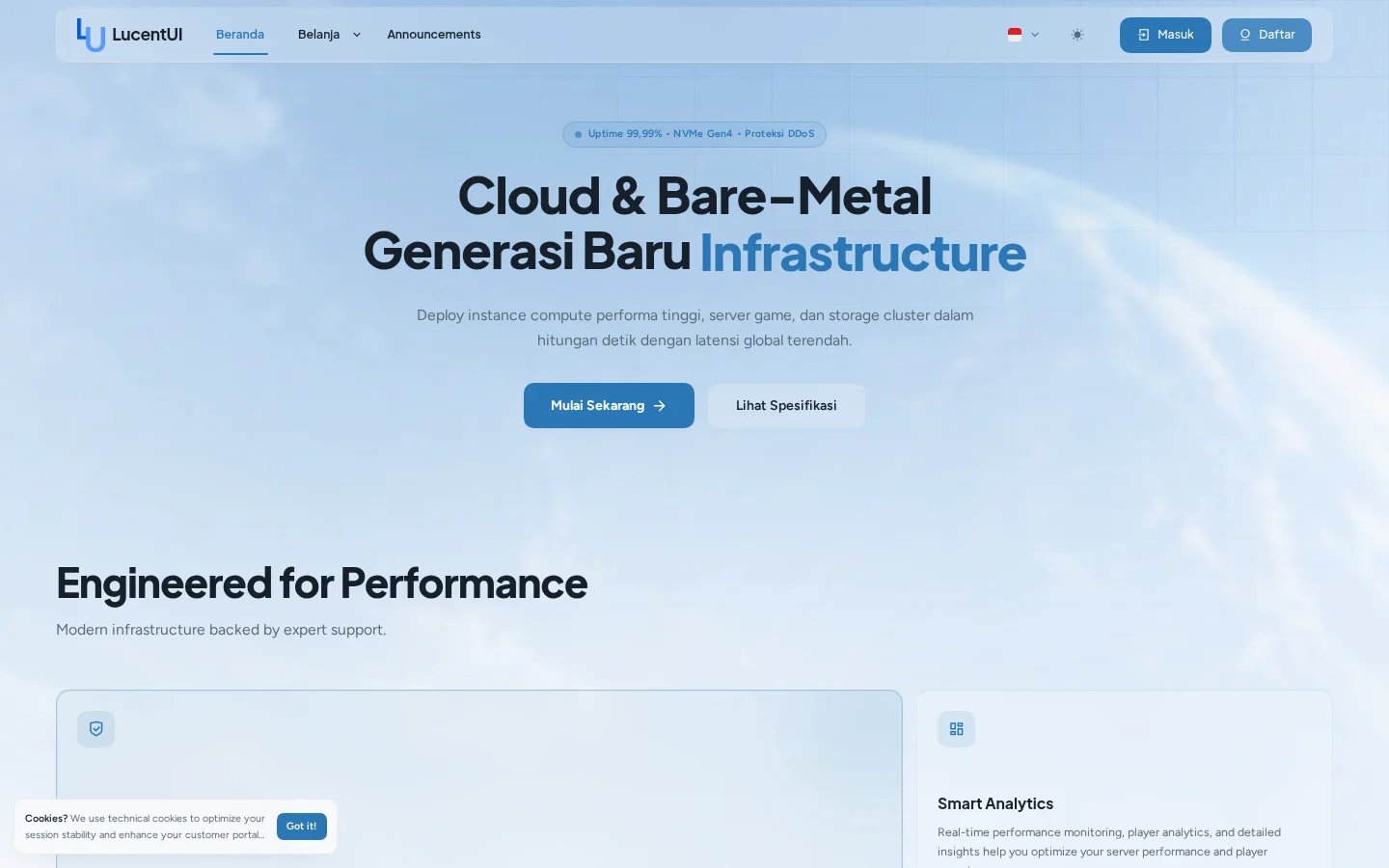
The same homepage configuration rendered with light-mode design tokens.
Builder actions
- Drag blocks to change their order.
- Expand a block to edit its content and variant.
- Disable a block without deleting its configuration.
- Clone a block to reuse a type with different content.
- Choose full or half width where the block supports dashboard-style composition.
- Switch the global content language to edit localized block fields.
Homepage blocks
Hero
Hero
Variants: Split Media, Centered, Split Actions, Full Bleed, and Minimal. Configure
badge, headline, rotating words, description, two CTAs, and optional media.
Features
Features
Variants: Bento, Grid, Icon List, and Alternating. Each item accepts an icon, title,
description, and optional image.
FAQ
FAQ
Variants: Accordion, Two Column, Grouped, Divider List, and Grid.
Testimonials
Testimonials
Variants: Spotlight, Grid, Marquee, and Single Large.
Product Categories
Product Categories
Variants: Cards, Featured List, Compact List, and Cover Grid. Content comes from
Paymenter’s category records.
Pricing Table
Pricing Table
Renders plan tiers from a category slug and can highlight a product by name.
Stats Bar
Stats Bar
Renders a divider strip. Values can use
{uptime}, {users}, and {services}.Datacenters
Datacenters
Shows a location list, network capacity label, and optional status link.
Discord Community
Discord Community
Combines marketing copy with live Discord widget data when configured.
Promo Bar
Promo Bar
Displays a compact message, optional coupon, countdown target, and link.
Call to Action
Call to Action
Variants: Band, Boxed, Split, and Minimal with two configurable actions.
Custom HTML
Custom HTML
Inserts trusted raw HTML at a specific point in the homepage. Use only when a native
block cannot represent the content.
Product and data-backed blocks
Categories and pricing use live Paymenter data. Stats are supplied through cached theme data rather than queries inside Blade views. If a referenced category slug or product name changes, update the corresponding block configuration.Legacy upgrades
On an upgraded installation, LucentUI Editor seeds a block list from compatible legacy settings. After the first successful save, the block list becomes the canonical layout. Do not hand-edithomepage_blocks JSON unless you are restoring a reviewed export.